Blogs
GitHub
Slack
Forum
shadow-cljs
ClojureScript compilation made easy!

Recent posts
2020-06-17
Generating ES Modules (Browser, Deno, …)
2020-06-09
Status Update - Inspect, cljs_eval
2020-05-08
How about webpack now?
shadow-cljs provides everything you need to compile your ClojureScript code with a focus on simplicity and ease of use.
- Good configuration defaults so you don't have to sweat the details
-
Seamless
npmintegration - Fast builds, reliable caching, ...
-
Supporting various targets
:browser,:node-script,:npm-module,:react-native,:chrome-extension, ... - Live Reload (CLJS + CSS)
- CLJS REPL
-
Code splitting (via
:modules)
To use shadow-cljs, add your configurations in a
shadow-cljs.edn file, and run:
npm install -g shadow-cljs # Node.js and JVM are required to be installed shadow-cljs compile app # `:app` is the build-id defined in shadow-cljs.edn
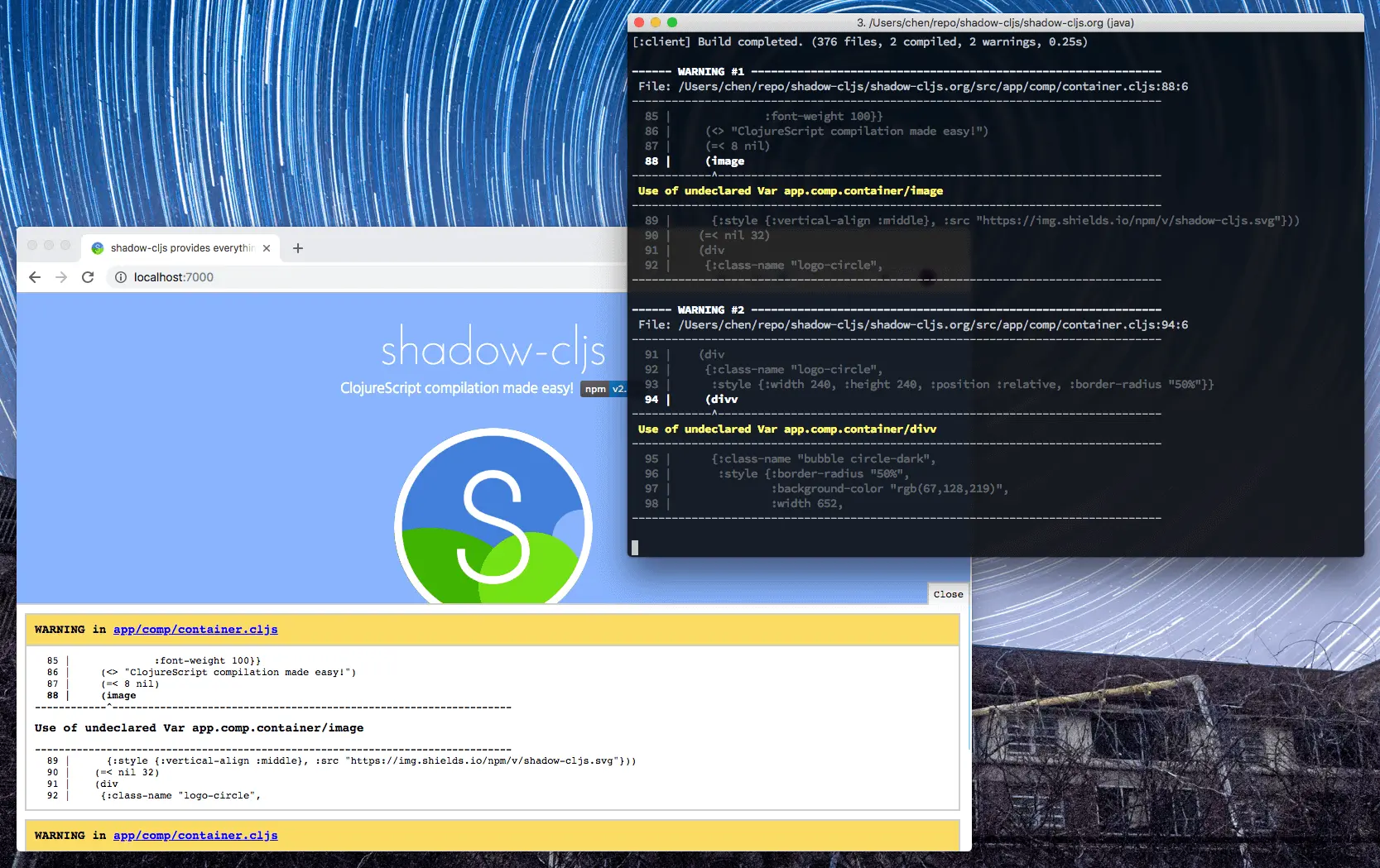
Try with a demo project!
Configurations
For a browser app, create a
shadow-cljs.edn file like:
{:source-paths ["src"] :dependencies [[reagent "0.8.1"]] :builds {:app {:target :browser :output-dir "public/js" :asset-path "/js" :modules {:main {:init-fn app.main/main!}}}}}
which means:
{:source-paths ["src"] ; where you put source files :dependencies [[reagent "0.8.1"]] ; ClojureScript dependencies ; "app" is the build-id, in running "shadow-cljs compile app" :builds {:app {:target :browser ; compile code that loads in a browser :output-dir "public/js" :asset-path "/js" ; assets loaded from index.html are based on path "/js" ; "main.js" is the name for the bundle entry :modules {:main {:init-fn app.main/main!}}}}} ; function app.main.main! is called when page loads
Use
:target :node-script for compiling in Node.js and there are also more targets to try.
To publish a ClojureScript package with dependencies from npm, add a
dep.cljs file. shadow-cljs will read it and install those npm modules.
CLI tools
Some useful shadow-cljs commands during development are:
# compile a build once and exit shadow-cljs compile app # compile and watch shadow-cljs watch app # connect to REPL for the build (available while watch is running) shadow-cljs cljs-repl app # connect to standalone node repl shadow-cljs node-repl
Running a release build optimized for production use.
shadow-cljs release app
Find out more commands in the docs.
Using modules from npm
With shadow-cljs, most npm modules for browser can be imported with modules installed locally.
(ns app.main (:require ["md5" :as md5] ["fs" :as fs])) (println (md5 "text")) (fs/readFileSync "deps.den" "utf8")
Read more at Guide on how to use/import npm modules/packages in ClojureScript?
Lifecycle Hooks
You can configure the compiler to run functions just before hot code reload brings in updated code, and just after. These are useful for stopping/starting things that would otherwise close over old code.
(ns my.app) (defn ^:dev/before-load stop [] (js/console.log "stop")) (defn ^:dev/after-load start [] (js/console.log "start"))
Find more configs in user manual.
Non-code resources
There are various use-cases where you’d want to use a static resource as part of the compilation of your source files. shadow-cljs provides a macro
shadow.resource/inline for loading files from inside classpaths:
(ns demo.app (:require [shadow.resource :as rc])) (def docs (rc/inline "./docs.md")) ; docs is the string content of the file ; also like: ; (def docs (rc/inline "demo/docs.md"))
This will resolve the
./docs.md file relative to the current namespace, which means it will end up including demo/docs.md from somewhere on the classpath.
Long-term caching
By setting in
:module-hash-names field you may tell shadow-cljs to add MD5 hash in the filenames generated. It's a trivial feature in Webpack and now it's a one-liner config in ClojureScript. Meanwhile the assets.edn file can be emitted for indexing js files in HTML.
{:source-paths ["src"] :dependencies [[mvc-works/hsl "0.1.2"]] :builds {:browser {:target :browser :output-dir "target/browser" :modules {:main {:init-fn app.main/main!}} :release {:output-dir "dist/" :module-hash-names 8 :build-options {:manifest-name "assets.edn"}}}}}
After compilation, two files will be generated in
dist/ with names:
=>> l dist/ assets.edn main.9683CD2F.jsEmbedding in the JS Ecosystem — The :npm-module and :esm Target
There is an additional target that is intended to help you use shadow-cljs as part of a project and provide seamless integration with existing JS tools (eg. webpack, browserify, babel, create-react-app, …) with as little configuration as possible.
Sample source
for src/main/demo/foo.cljs
(ns demo.foo) (defn hello [who] (str "Hello, " who "!"))
Compile code to `:npm-module` target
{ ; ... :builds {:npm {:target :npm-module ; ... }}}
The generated exports will be named
shadow-cljs/ with the CLJS namespace.
$ node > var x = require("shadow-cljs/demo.foo"); undefined > x.hello("JS") 'Hello, JS!'
It is now also possible to generate “almost” standards-complient ESM output. It says “almost” because it is technically cheating in development.
release builds are fully :advanced optimized and compliant as they don’t leak any globals or do any other kinds of eval tricks.
The generated code can be loaded as a module. Find out more about `:esm` target.
<script type="module" src="/js/demo.js">script>Other features
There are more features in shadow-cljs, such as:
- Dynamic code loading
- Testing
- Editor Integration
Read the User Guide to learn about all the features.
Getting started
Here are some configurations you can start with:
- compile a browser app
- compile a Node.js script
- compile with optimizations
- emits multiple bundles and load on need
- emits code in CommonJS syntax
Site built with shadow-cljs and Respo. Contribute content at shadow-cljs/shadow-cljs.org.